

Can you opt out of UK Emergency Alerts? Here is how to turn them off
Can you opt out of UK Emergency Alerts? Find out how to turn emergency alerts off on iPhone and Android, and why the Government recommends keeping them enabled.
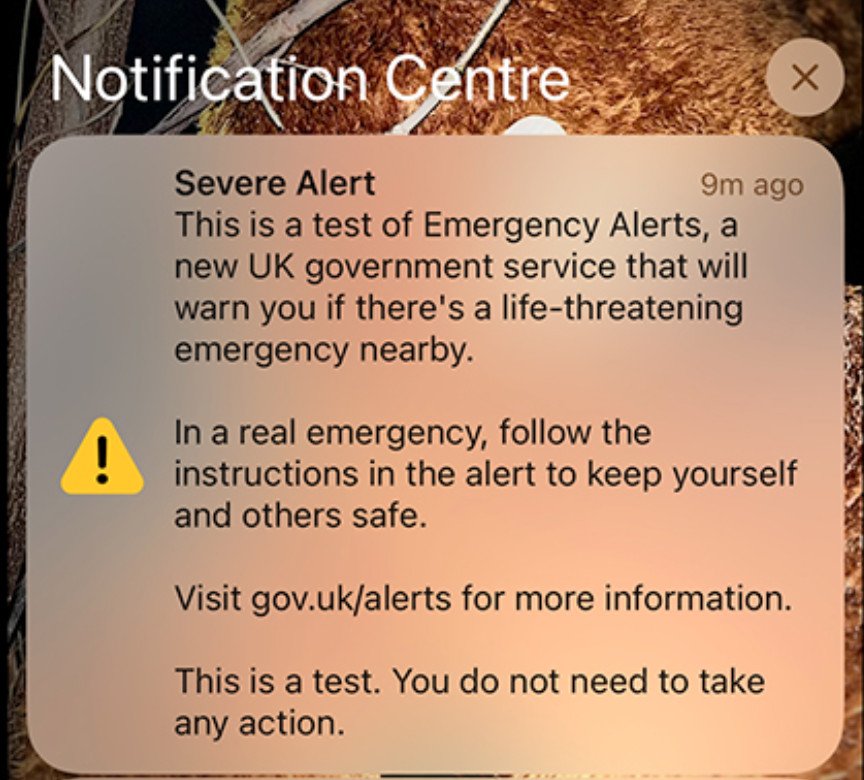
Yes, UK Emergency Alerts can be switched off on compatible iPhones and Android devices. However, the Government advises people to keep Emergency Alerts enabled because they are intended to warn the public about life-threatening emergencies, such as wildfires, severe flooding and extreme storms.
There may also be situations where someone needs to disable the alerts, including people who keep a concealed phone and could be put at risk if the phone suddenly makes a loud siren sound. The Government has previously recognised this as a reason someone may choose to opt out.
How to turn off Emergency Alerts on an iPhone
On most recent iPhones:
- Open Settings.
- Tap Notifications.
- Scroll right to the bottom.
- Look for Government Alerts.
- Turn off the relevant government/emergency alert options.
Apple confirms that Government Alerts can be managed from Settings > Notifications > Government Alerts.
How to turn off Emergency Alerts on Android
Android menus can vary depending on the manufacturer and version of Android.
A common method is:
- Open Settings.
- Tap Notifications.
- Look for Wireless emergency alerts or Emergency Alerts.
- Select the alert settings.
- Turn off the emergency alert categories you do not want to receive.
Google confirms that Android devices can manage wireless emergency alerts through Settings > Notifications > Wireless emergency alerts, although the exact options can vary between devices.
The UK Government also says that Android users can search their phone's settings for "emergency alerts" because manufacturers may use different names for the feature.
Should you switch them off?
That is ultimately a personal decision, but it is worth remembering what the system is designed to do.
UK Emergency Alerts are intended for situations where there is a danger to life nearby and people may need to take action to protect themselves.
Turning them off means you could miss an urgent warning about a wildfire, severe flooding or another serious emergency in your area.
The Government also stresses that Emergency Alerts are only one part of the warning system. They do not replace local news, radio, television or social media, which can provide more detailed information during an emergency.

Editor & Founder | SalisburyPost Passionate about local journalism, I am dedicated to delivering trusted news and strengthening connections across Salisbury and Wiltshire. Through SalisburyPost, I aim to keep residents informed, celebrate community achievements, and highlight the stories that matter most to local people.


















Comments (0)